Adding login and password protection / member registration to Blogger (blogspot) website
Blogger (aka Blogspot) is a free, user-friendly blogging platform owned by Google that allows individuals to create and manage blog websites without needing technical expertise. It offers customizable templates and integrates seamlessly with other Google services, making it ideal for beginners and hobbyists.
Basically to start using AuthPro service on your Blogger website you need to add AuthPro protection code to posts or pages you want to be accessible by registered members only. You can also add login form to your website so members can login to your members area and registration form to create new accounts. You will get all codes/links after signing up for AuthPro account and you can always get copy on the Account page of your AuthPro Account Manager.
Protecting individual posts or pages
If you want to protect post or page:
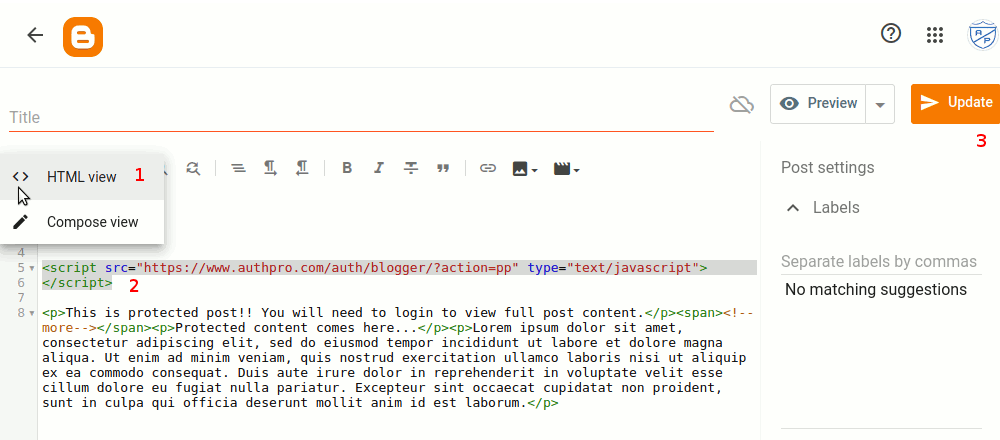
- open it in edit mode
- switch to "HTML view" mode
- paste AuthPro protection code
- click "Update" button to save changes
Protecting whole Blogger website
If you want to protect all pages on your website:
- go to "Layout" page in Blogger editor
- click "Add a gadget" in "Sidebar (top)" section
- select "HTML/Javascript" in "Add a gadget" menu
- type some title and paste AuthPro protection code "Content" area
- save new gadget
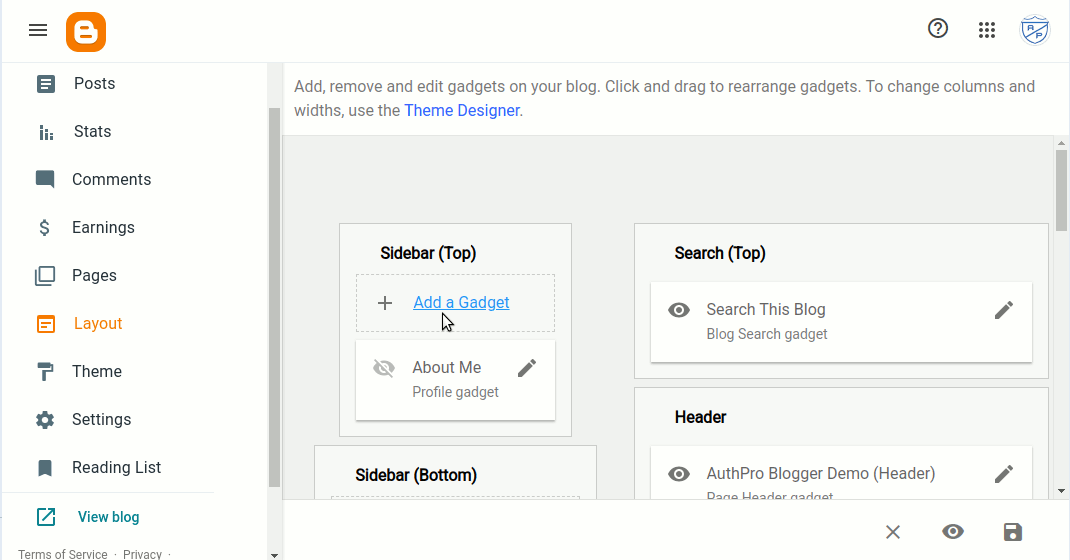
Pic 1: Click "Add a gadget" in "Sidebar (top)" section
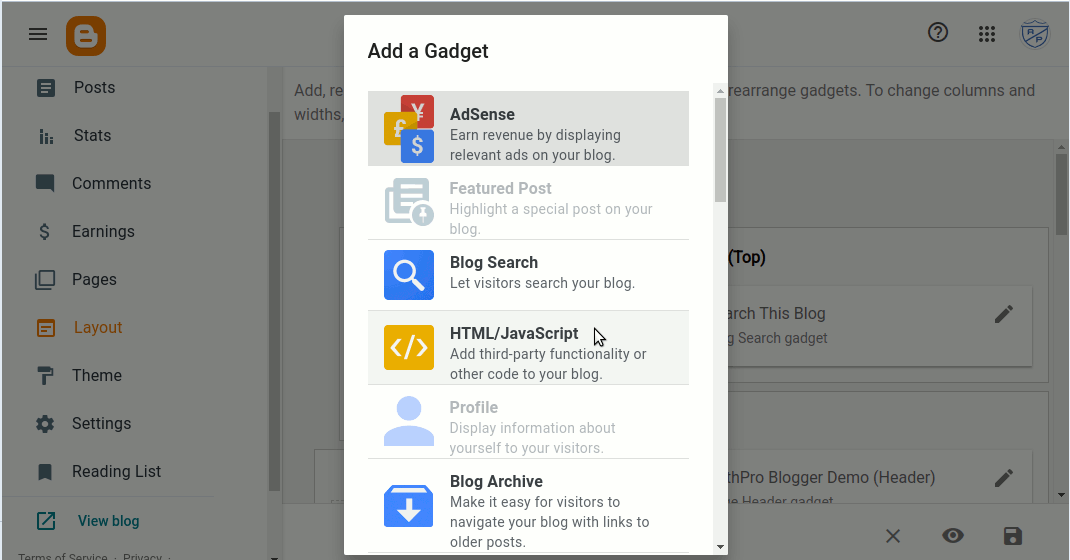
Pic 2: Select "HTML/Javascript" gadget
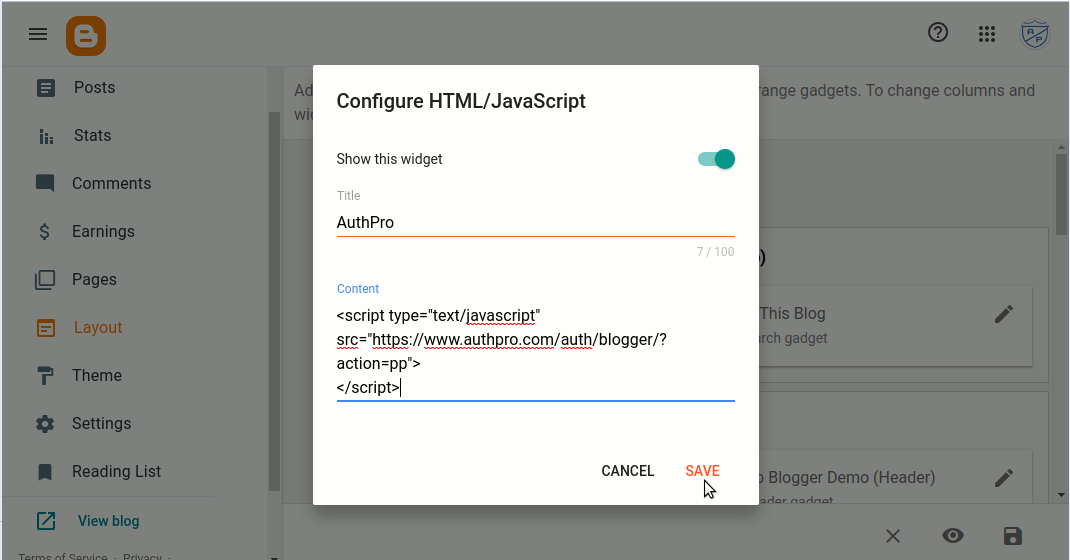
Pic 3: Paste AuthPro protection code
Here is sample video showing process of of adding AuthPro protection codes to your Blogger website:
Add login and registration forms to Blogger website
If you want to embed hosted login, registration or other forms to your website you can add them to Blogger pages like this:
- go to AuthPro dashboard (Account page) and click on "Custom HTML" button next to hosted form URL
- copy HTML code for selected form to clipboard
- open Blogger page where you want to embed form in edit mode
- switch to "HTML view" mode
- paste AuthPro form code
- click "Update" button to save changes
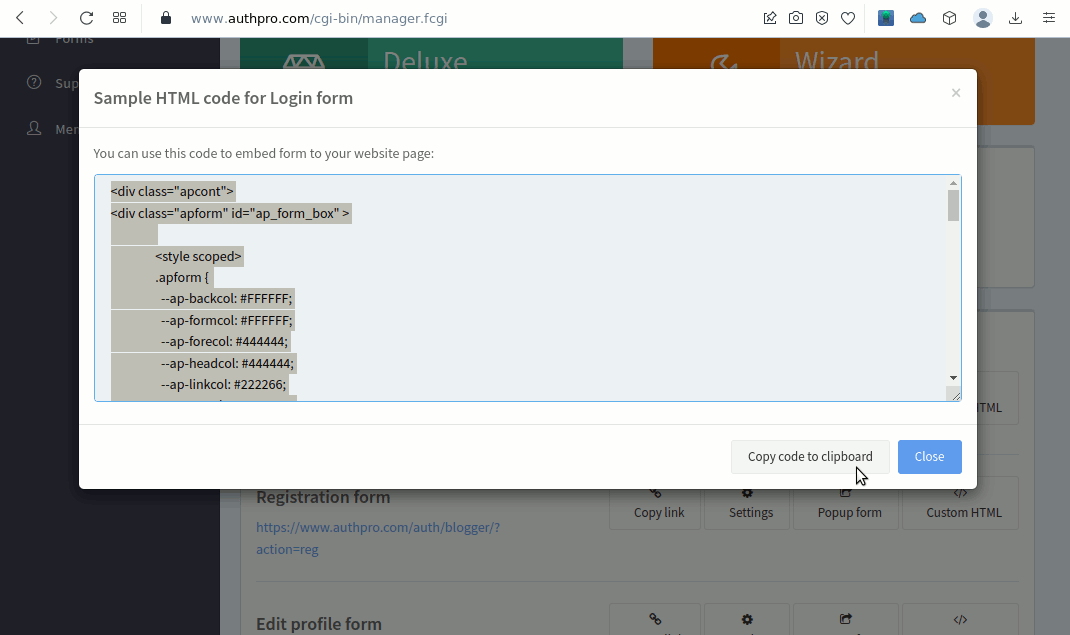
Pic 1: Copy AuthPro form code
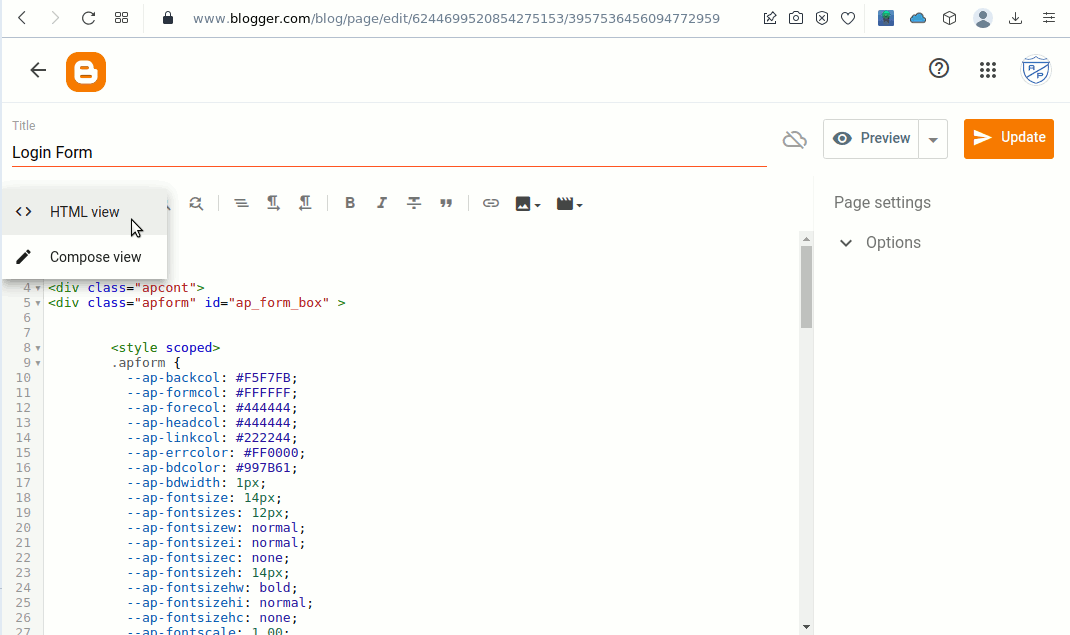
Pic 2: Paste AuthPro form code to Blogger page
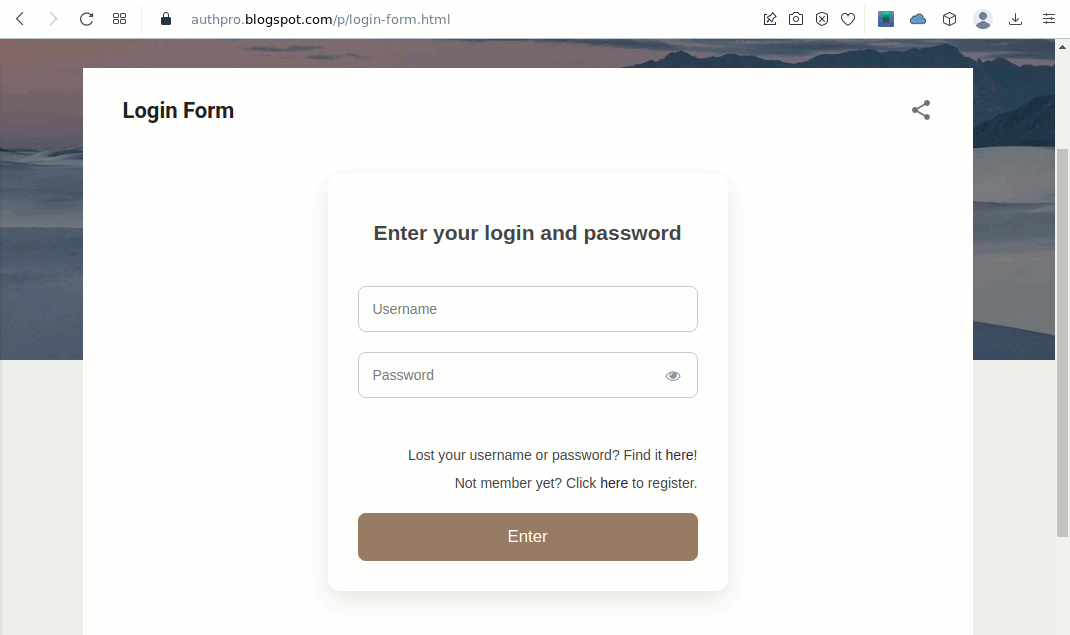
Pic 3: Form is now hosted on your Blogger site
View demo website
Please contact us if you have any questions.